
THE LEARNING DEN
Everything your child needs. One place.
The Learning Den is your family’s home inside FunFox. From the moment you enrol, everything is here, the dashboard, upcoming classes, homework, recordings, feedback, vocabulary tracking and your child’s full progress.
Dashboard · Countdown to next class · Join class button
Classes · Upcoming · Completed · Recordings
Homework · Pre-assessment · Detailed feedback
Vocab Wall · Progress · Activity feedback
Dashboard · Countdown to next class · Join class button
Classes · Upcoming · Completed · Recordings
Homework · Pre-assessment · Detailed feedback
Vocab Wall · Progress · Activity feedback
YOUR DASHBOARD
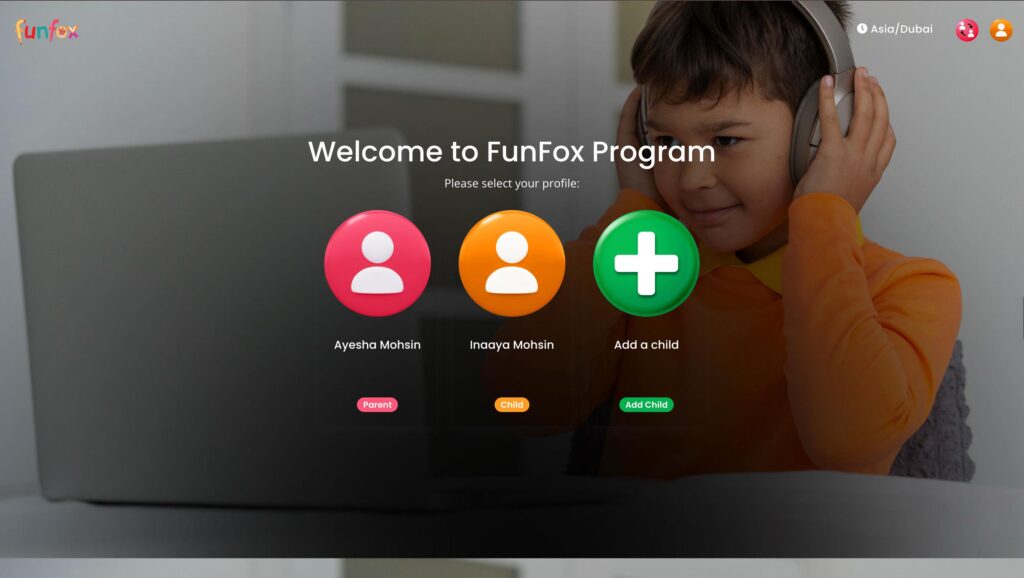
Log in and see all your children in one place.
When you log into the Learning Den, you’ll see every child you have enrolled with FunFox. Each child has their own profile card. Tap on a child to open their full dashboard.
1
Log in to the Learning Den
Your parent account shows every enrolled child on the home screen.
2
Tap on your child’s profile card
Each child has their own dashboard with everything specific to them.
3
See everything at a glance
Upcoming class, countdown, homework status, latest feedback, all on one screen.
01
Dashboard
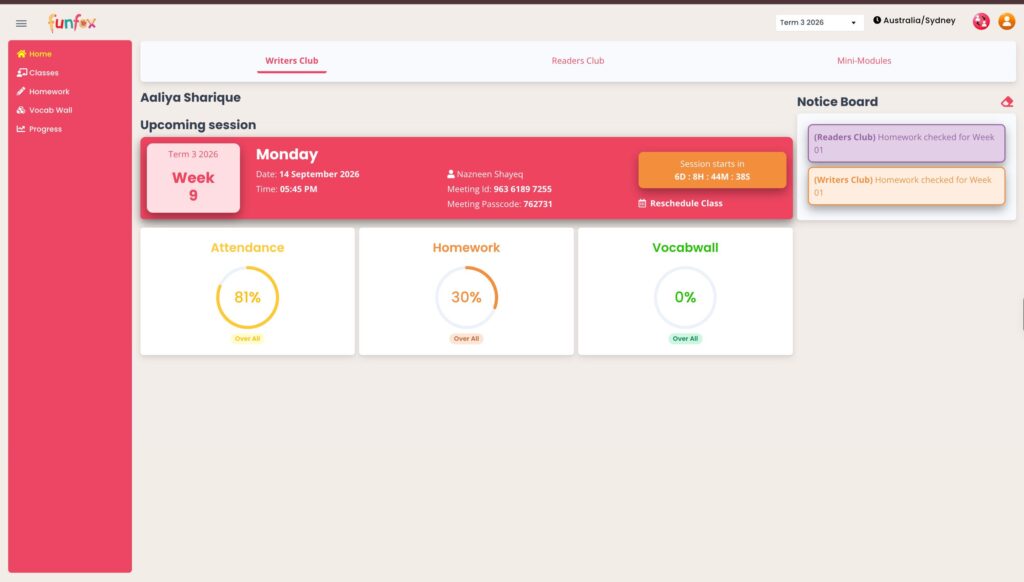
A live countdown to your child’s next class.
The moment you open your child’s dashboard, you see a countdown timer ticking down to their next live session. When the countdown hits zero, the button changes to Join Class and your child can jump straight in.
Live countdown showing days, hours and minutes until the next class
When class starts, the button automatically switches to Join Class
Reschedule option is visible alongside the countdown if plans change
Class reminders sent by email and visible on the dashboard
CLASSES TAB
Upcoming classes. Completed classes. All in one tab.
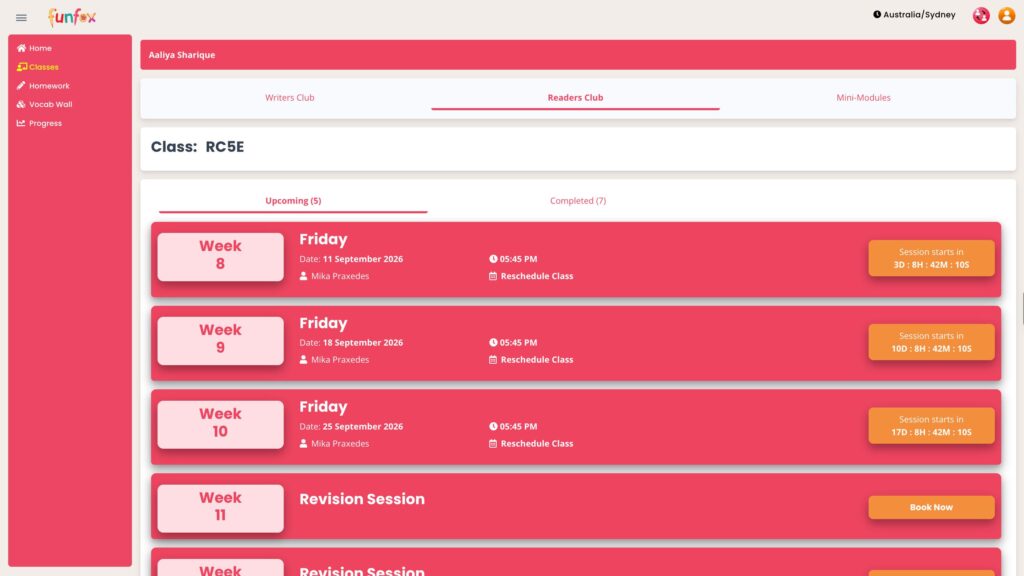
Switch to the Classes tab to see everything past and upcoming. Reschedule before a class, watch recordings after.
Upcoming Classes
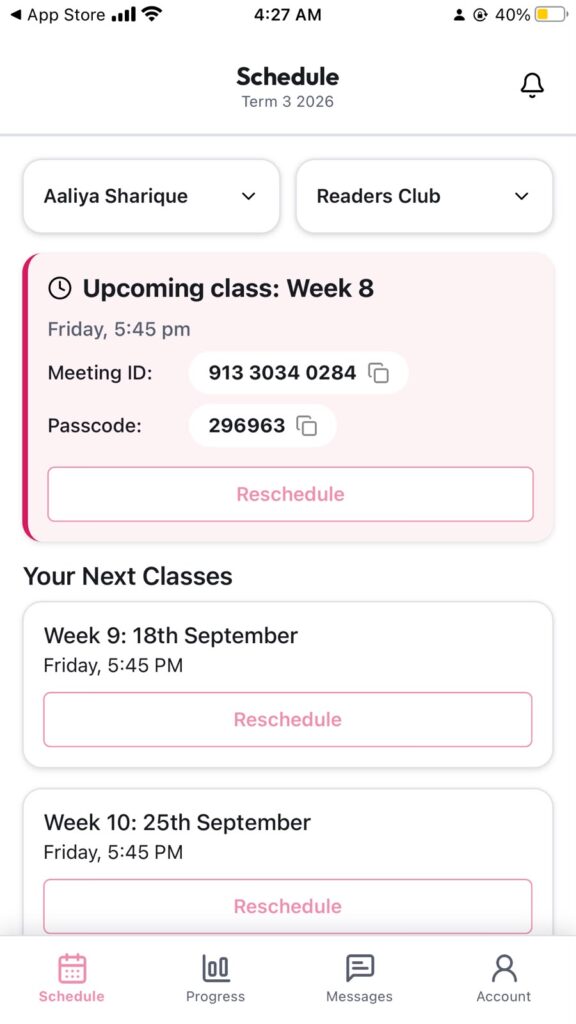
See every class scheduled for the current term. Each class shows the date, time and teacher name.
Reschedule any upcoming class directly from this view
Class date, time and teacher shown for each session
Term calendar visible at a glance
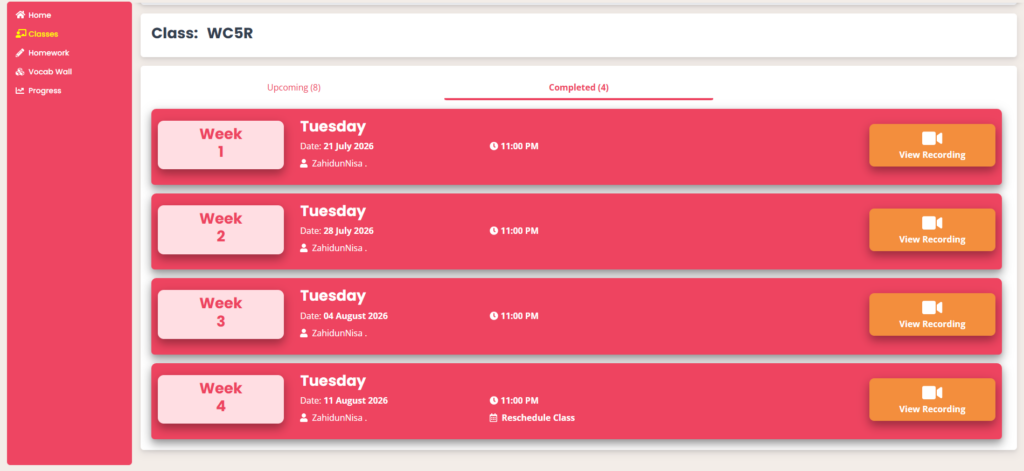
Completed Classes
Every class that has been completed is saved here with a recording available to watch any time.
Watch the full recording of any past class
Most recent completed class can also be rescheduled
Recordings available throughout the current term
Kid-friendly themed homework · concept explained in full
Pre-assessment tracks your child from day one
Detailed personal feedback on every task
Vocab Wall · Progress tracking · Activity-level feedback
Kid-friendly themed homework · concept explained in full
Pre-assessment tracks your child from day one
Detailed personal feedback on every task
Vocab Wall · Progress tracking · Activity-level feedback
02
Homework Tab
Homework that feels like an adventure, not a chore.
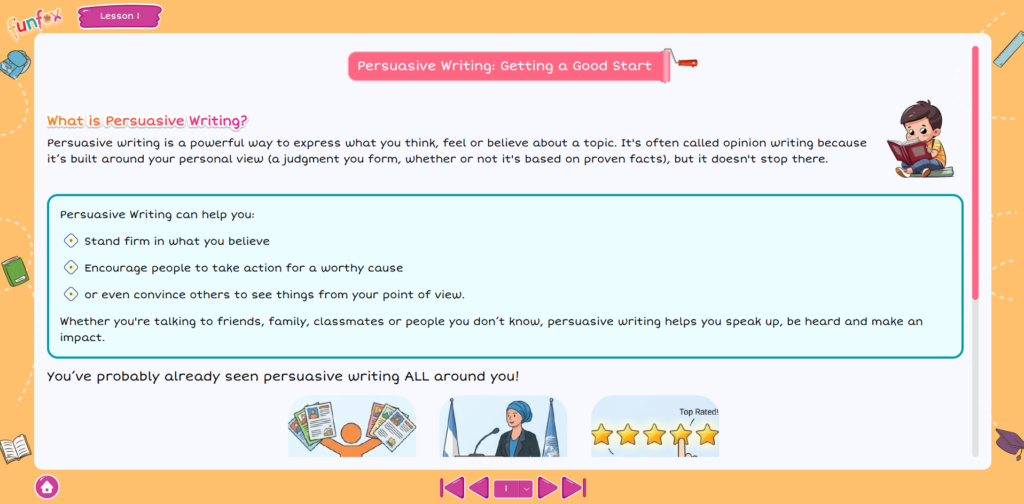
The Homework tab holds every task assigned before and after class. Modules are designed to be colourful, kid-friendly and concept-led, your child understands the idea fully before they attempt the task. A pre-assessment runs first so progress can be tracked from day one.
Kid-friendly themed modules, colourful, visual and engaging
Concept explained in detail before the task begins
Pre-assessment completed first to set a baseline for tracking
Detailed personal feedback given on every piece of submitted homework
Full homework history visible so you can see all past submissions
03
Vocab Wall Tab
A living vocabulary wall that grows with your child.
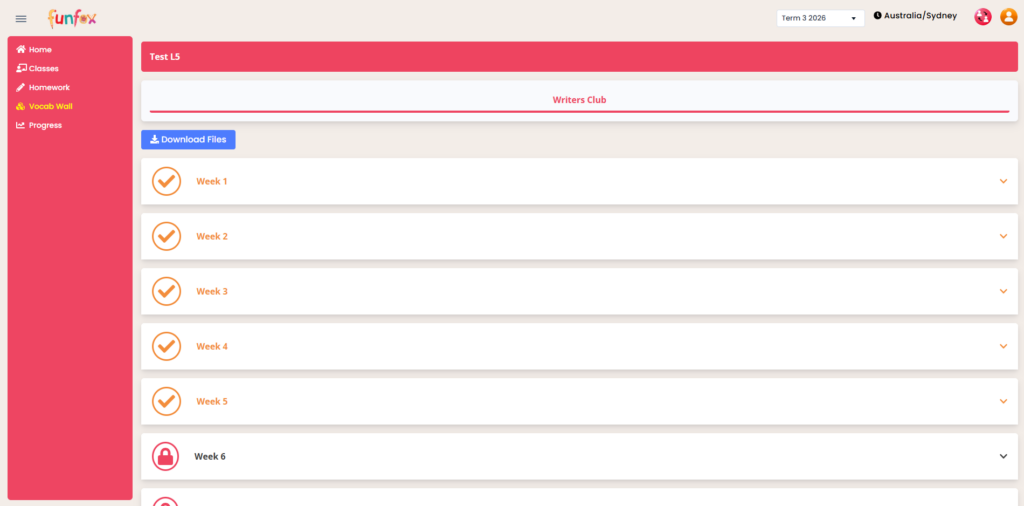
The Vocab Wall is a visual tracker of every new word your child encounters in FunFox. A personalised poster is generated for them and their vocabulary progress is tracked term by term. It makes learning new words feel like collecting achievements.
A personalised vocab poster generated for each child
Vocabulary progress tracked and updated as new words are added
Words collected from class sessions, homework and reading activities
A visual, rewarding way for children to see their growing word bank
04
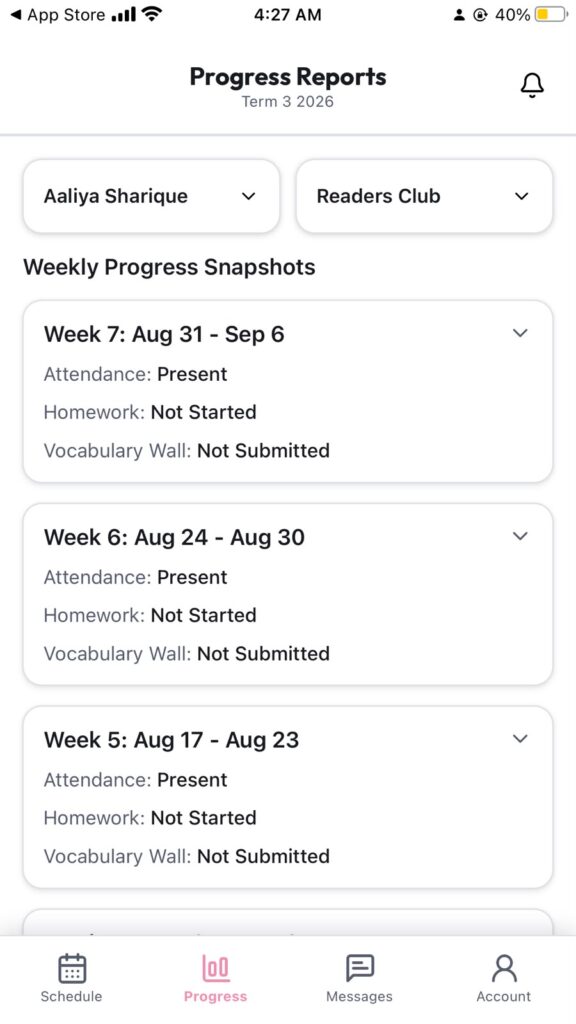
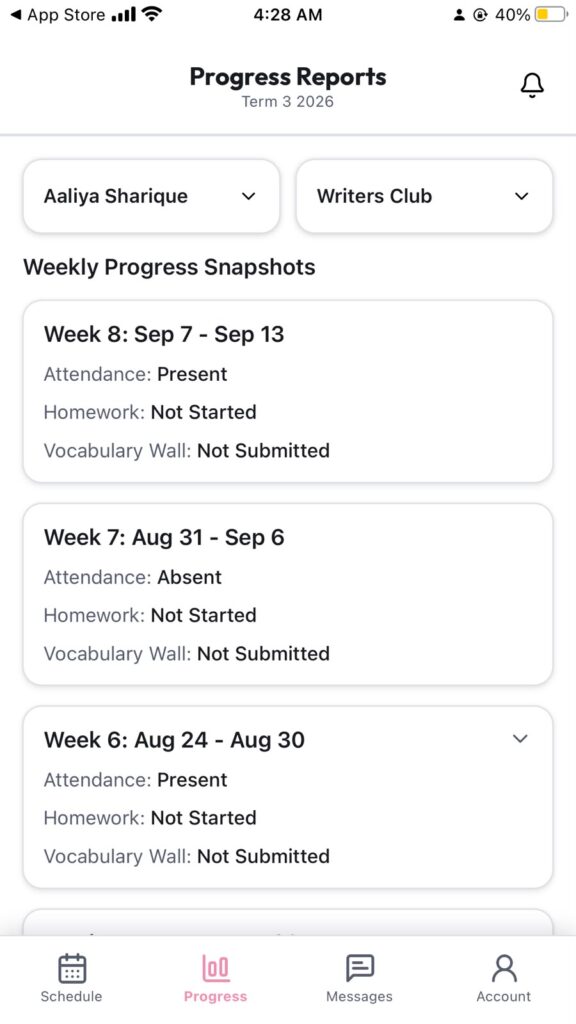
Progress Tab
A complete picture of how your child is growing.
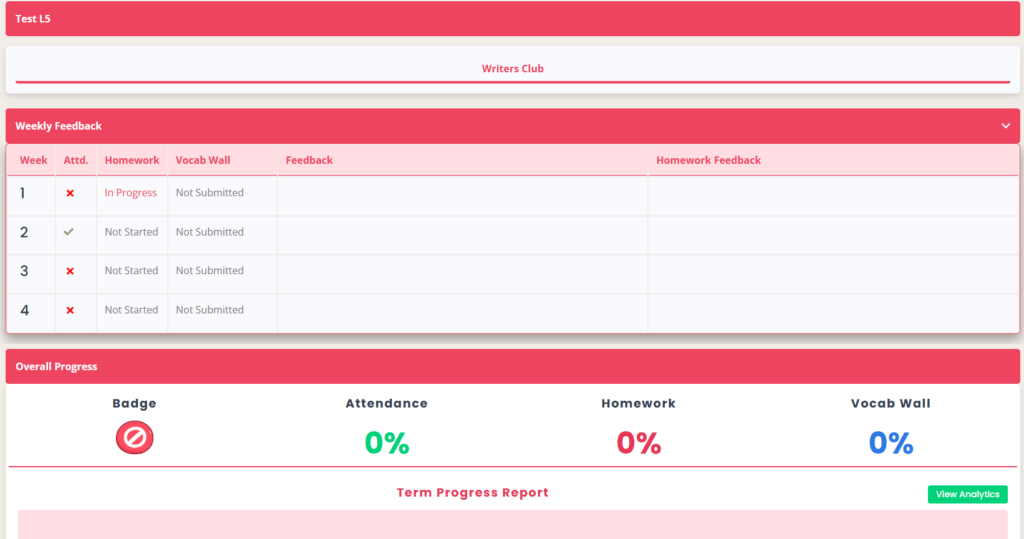
The Progress tab is where it all comes together. You can see your child’s development across every area, from overall growth to feedback on individual activities. Class feedback, homework feedback and activity-level notes are all here, giving you a clear and detailed view at any point in the term.
Overall progress view showing development across the term
Class feedback from the teacher after every session
Homework feedback linked to each submitted task
Activity-level feedback, specific notes on each thing your child worked on
Overall written feedback giving a full picture of your child’s progress
EVERYTHING IN ONE PLACE
Five tabs. A complete learning experience.
The Learning Den is built for families, simple enough for parents, engaging enough for kids.
Dashboard
Child profiles, countdown timer, class join button
Classes
Upcoming sessions, completed recordings, reschedule
Homework
Themed modules, pre-assessment, detailed feedback
Vocab Wall
Personalised poster, vocabulary progress tracking
Progress
Overall growth, class, homework and activity feedback
QUESTIONS ABOUT THE PORTAL
Common questions from parents.
Honest answers. No corporate language.
Your login is emailed within 24 hours of your enrolment being confirmed. Check your spam folder if you haven’t received it. Once you log in everything is ready, your child’s profile, their upcoming class and the countdown timer.
Yes. You and your child each have their own login. Your parent view shows the full dashboard, all feedback, progress and homework history. Your child’s view is focused on their current homework task and their own submitted work.
The countdown on your child’s dashboard ticks down in real time to their next scheduled class. When the countdown reaches zero, the timer automatically switches to a Join Class button. Your child clicks it and joins the Zoom session directly.
Yes. In the Classes tab, every upcoming class has a Reschedule option. The most recently completed class can also be rescheduled if needed. Select the class and choose a new time from the available slots.
In the Classes tab under Completed Classes. Every session that has been held is saved here with a Watch Recording button. Recordings are available throughout the current term.
Homework in the Learning Den is module-based and themed, designed to feel engaging rather than like a chore. Each task starts with a full explanation of the concept so your child understands the idea before they attempt anything. A pre-assessment runs first to set a baseline. Detailed personal feedback is given on every submission.
The Vocab Wall is a visual vocabulary tracker. As your child encounters new words in class and homework, they are added to a personalised poster. Progress is tracked over time so you can see your child’s vocabulary growing term by term.
The Progress tab shows your child’s development across every dimension of the program, overall progress, class feedback from the teacher after every session, detailed feedback on each homework submission, activity-level notes on specific tasks, and an overall written summary of their growth.
INSIDE THE APP
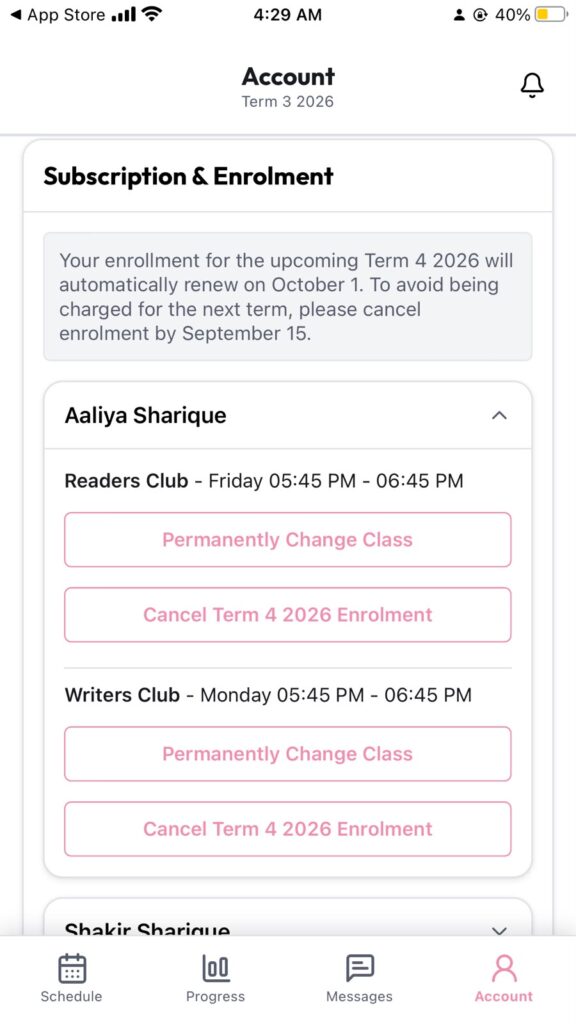
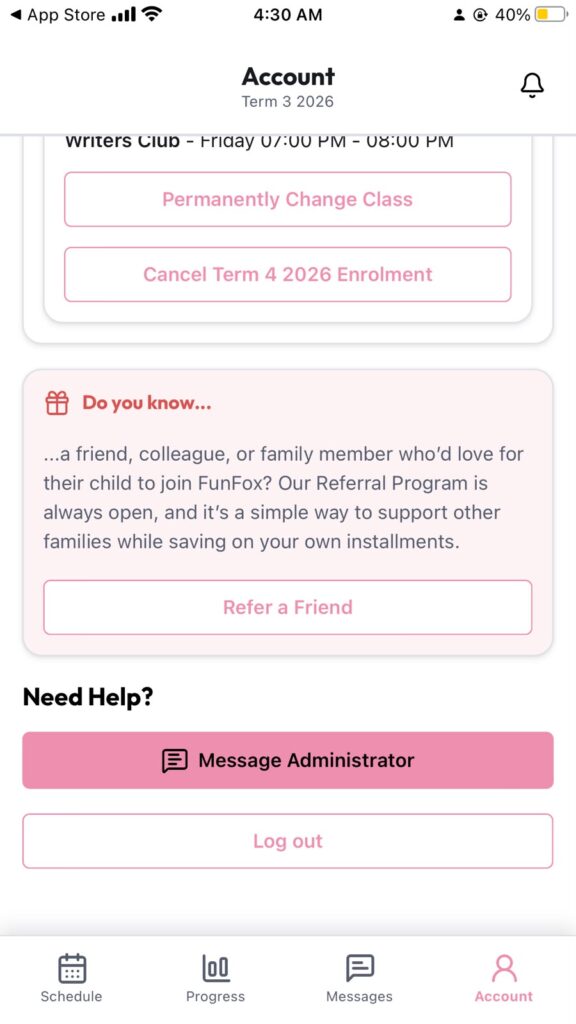
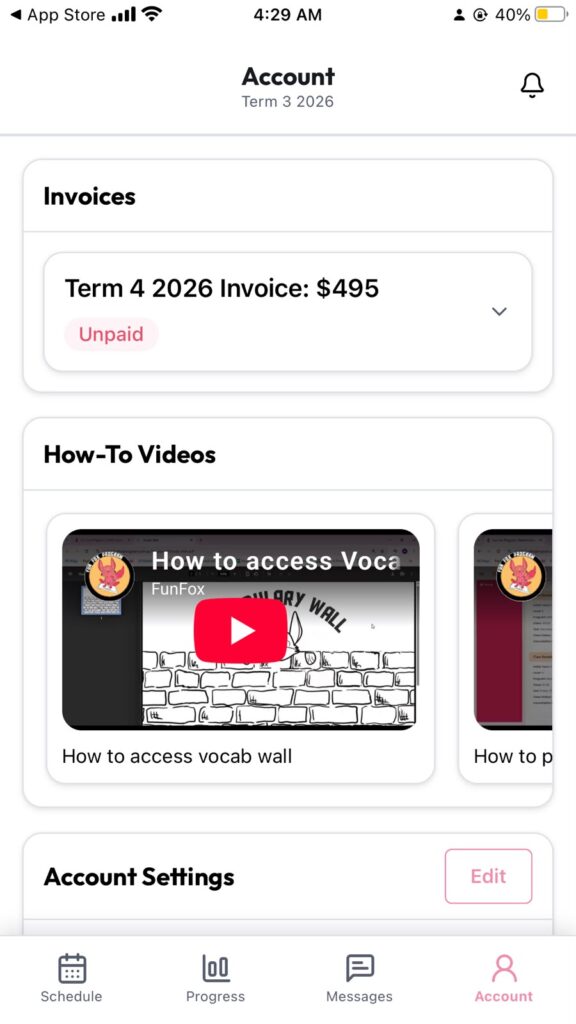
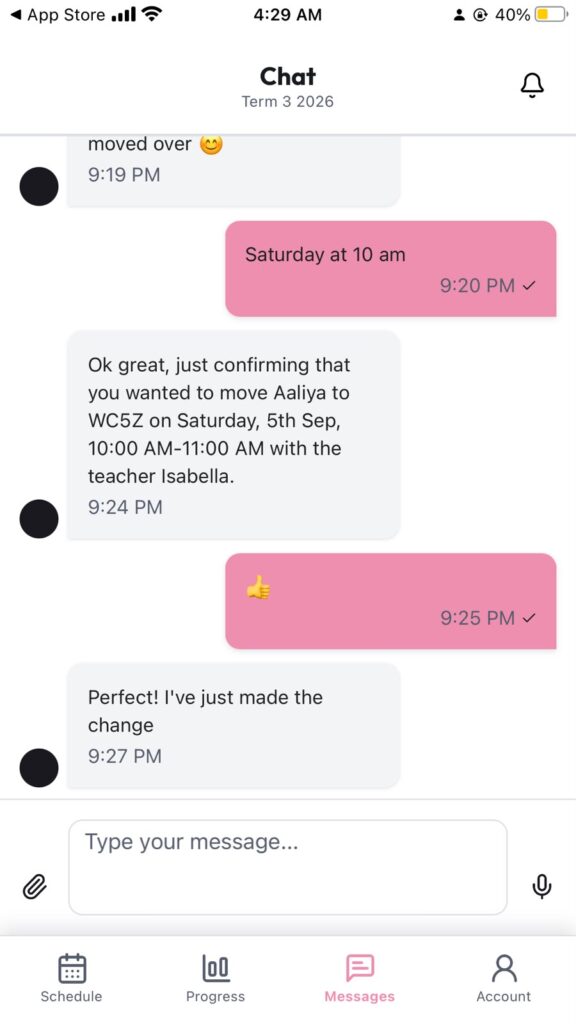
Everything a parent needs, built in.
Want to see the Learning Den for yourself?
Enrol today and your family gets full access to the Learning Den within 24 hours. Everything you’ve seen on this page will be right there waiting.
No commitment · First class free · Ages 6–15 · All programs